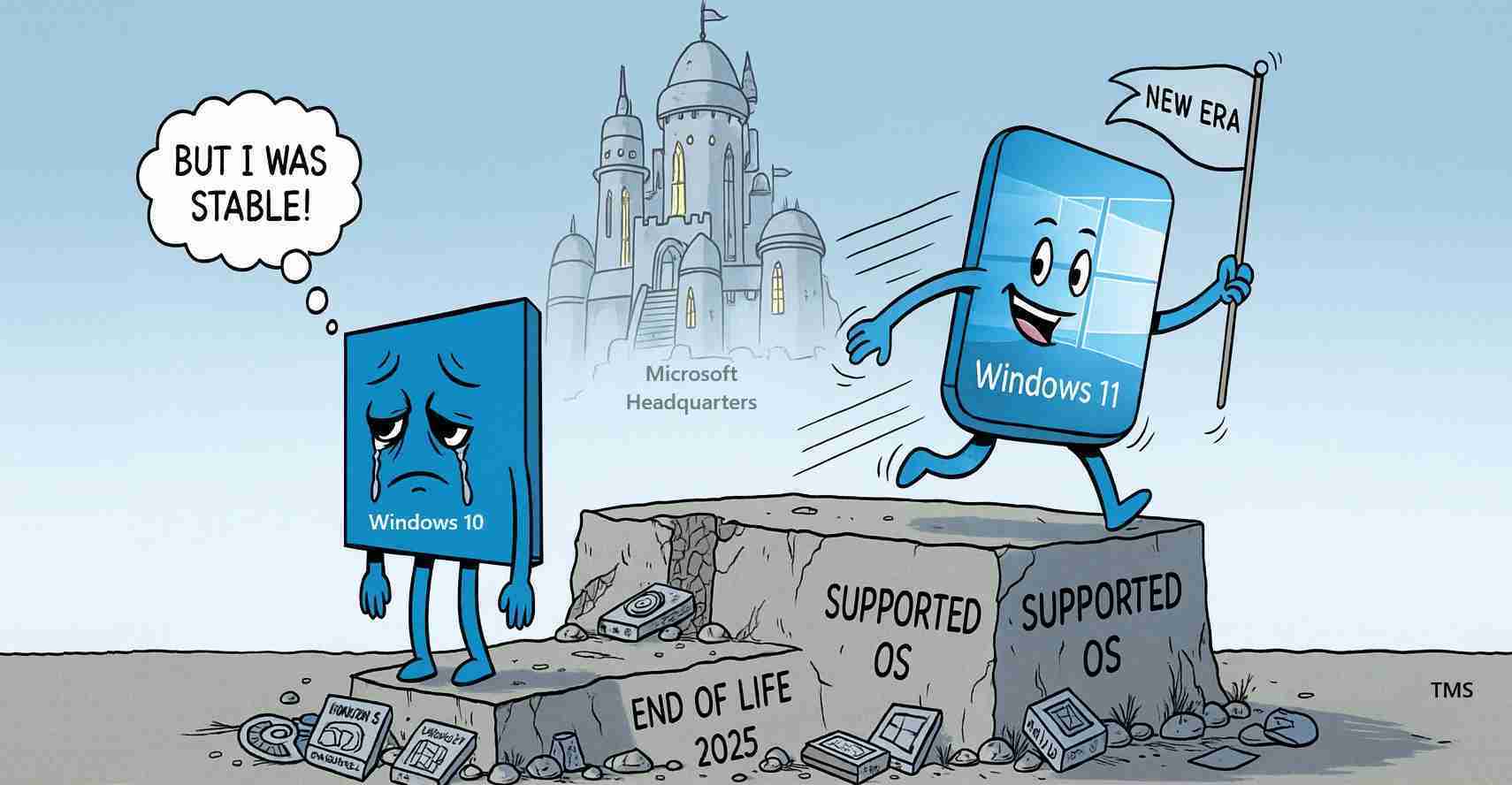
Windows 10 support ends Oct. 14, 2025 — millions of PCs left exposed; experts urge upgrade to Windows 11 or ESU
Microsoft will stop providing free support for Windows 10 on October 14, 2025, ending security updates and technical assistance. Millions of PCs will remain operational but exposed; experts urge upgrading to Windows 11 or enrolling in Extended Security Updates.
Key takeaways
- Free security updates and support end on Oct. 14, 2025 — see the Microsoft support page.
- Upgrade recommended: Microsoft recommends moving to Windows 11 when hardware allows; Consumer ESU is available for select devices through ~October 2026.
- Large exposure: About 63% of PCs still ran Windows 10 in late 2024, making this a major support sunset (see market analysis).
Main content
What Microsoft’s end-of-support means for users
Microsoft’s notice says that after Oct. 14, 2025, Windows 10 Home, Pro, Enterprise and Education editions will no longer receive free updates or technical assistance. That includes security patches that fix newly discovered vulnerabilities. Without those patches, systems become easier targets for malware, ransomware and other attacks.
Analysts and IT advisers warn the risk grows over time as attackers hunt for and exploit unpatched flaws (see analysis and Windows Central reporting).
Practical effects on everyday computers
- Continued daily use, rising risk: Windows 10 machines will still boot and run existing apps, but driver problems and compatibility issues can increase as vendors shift focus away from unsupported OS versions (report).
- Office and other apps: Productivity apps may continue to work for a while, but feature updates stop and security protection may lapse.
- Legal and compliance risks: Businesses in regulated industries risk compliance and liability gaps if they continue to run unsupported software.
Options for staying protected
Upgrade to Windows 11
Microsoft’s primary recommendation is to upgrade to Windows 11 where hardware permits. Windows 11 receives current security updates and newer protections. Users should check compatibility and back up data before upgrading; see the Microsoft support page and the Microsoft end-of-support page for guidance.
Extended Security Updates (ESU)
For PCs that can’t run Windows 11, Microsoft is offering a Consumer Extended Security Updates (ESU) program that provides critical security patches for at least one additional year — through roughly October 2026. ESU is a temporary bridge, not a long-term fix; organizations should plan migrations rather than rely on ESU permanently.
Risk-reduction best practices if you stay on Windows 10
Experts recommend safeguards that reduce — but do not eliminate — risk:
- Install and maintain reputable antivirus and anti-malware software (practical security advice).
- Keep all other software (browsers, email clients, third‑party apps) fully updated.
- Use a strong firewall and restrict unnecessary network access.
- Practice careful web habits: avoid suspicious downloads and phishing links.
- Back up important files regularly to offline or cloud storage.
Scale of the challenge
Because Windows 10 still powered a large share of personal and business PCs into 2024 — industry trackers estimated about 63% of PCs worldwide — the end of support affects a huge installed base. Many users and organizations must decide whether to upgrade, buy new hardware, or enroll in ESU; waiting increases the chance of rushed, costly fixes later (market analysis).
Microsoft’s rationale and future focus
Microsoft frames the decision as a natural end to a 10-year product lifecycle and a refocus of resources on newer platforms like Windows 11, which the company says include stronger security features and modern capabilities, including some AI integration. The push helps consolidate engineering work to deliver ongoing security and feature development (company explanation).
Investigative angles: what to watch
- Patch gap exploitation: Researchers warn attackers may reverse-engineer past patches to find vulnerabilities in unpatched Windows 10 systems (analysis, reporting).
- Third‑party abandonment: Hardware and app-makers typically shift support to current OS versions, increasing driver and compatibility failures over time.
- Costs and timelines: For schools, small businesses and local governments, upgrade costs can be significant; ESU adds budget pressure but only temporary relief.
Implications for Fresno, California
Economic impact
Fresno businesses — from farms using precision-agriculture tools to downtown shops and manufacturers — rely on PCs for payroll, billing, inventory and point-of-sale systems. If many local machines remain on Windows 10, companies face higher cyberattack risk and potential operational disruption. Upgrading or buying ESU may add near-term costs, but the cost of a breach or downtime would likely be higher.
Political and governance consequences
City departments, school districts and county offices in Fresno County should review IT inventories and security plans. Using unsupported software may create compliance gaps for state or federal rules that require up-to-date security measures; leaders should weigh ESU as a temporary fix while budgeting for broader upgrades.
Social effects and community services
Nonprofits and community clinics that operate on tight budgets may be vulnerable; many rely on donated or older hardware that cannot run Windows 11. These organizations should consider ESU short-term, strengthen endpoint protection, and seek partnerships with local colleges or tech firms. Libraries and public computer labs should update messaging and offer guidance to users.
Cultural relevance and public trust
Residents expect dependable public services and protection of personal data. A widely publicized ransomware incident or data breach could erode trust and spark debate about IT investment priorities. Clear, transparent communication from local officials will be crucial to maintain confidence.
Practical steps for residents
- Check your PC: Use Microsoft compatibility tools and guidance to see if your computer can upgrade to Windows 11 (Microsoft end-of-support page).
- Back up files and practice safe browsing: Start immediately (practical security advice).
- Consider ESU only short-term: If your machine can’t run Windows 11, view ESU as a bridge and plan a migration (Microsoft support page).
- Seek local help: Fresno IT firms, community colleges and nonprofit tech programs can help assess risk and assist with upgrades or secure configurations.
Reporting and resources
Official Microsoft end-of-support details: Microsoft support page and Microsoft end-of-support page.
Guides and analysis on preparing: market analysis and guide and Windows Central coverage.
Practical security advice: practical security advice. Coverage of the end-of-support announcement: coverage of the announcement.
“This is a major lifecycle milestone; affected users should plan now to protect systems, data and services,” experts say. ESU buys time, but migration planning is essential.